 ScissorCV
Methodology
How the ScissorCV ATS score is calculated
A conservative number you can defend, with every signal documented — including the ones we deliberately refuse to count.
In one sentence: the ScissorCV score is the percentage of weighted job-description keywords that appear in your resume by literal or alias match — nothing else raises it.
Almost every resume tool shows you a percentage. Almost none of them tell you what the number is made of, which is how a resume can score 92% and still get rejected. This page documents exactly how ScissorCV calculates its score, and just as importantly, what the score deliberately refuses to do.
What the ScissorCV score actually measures
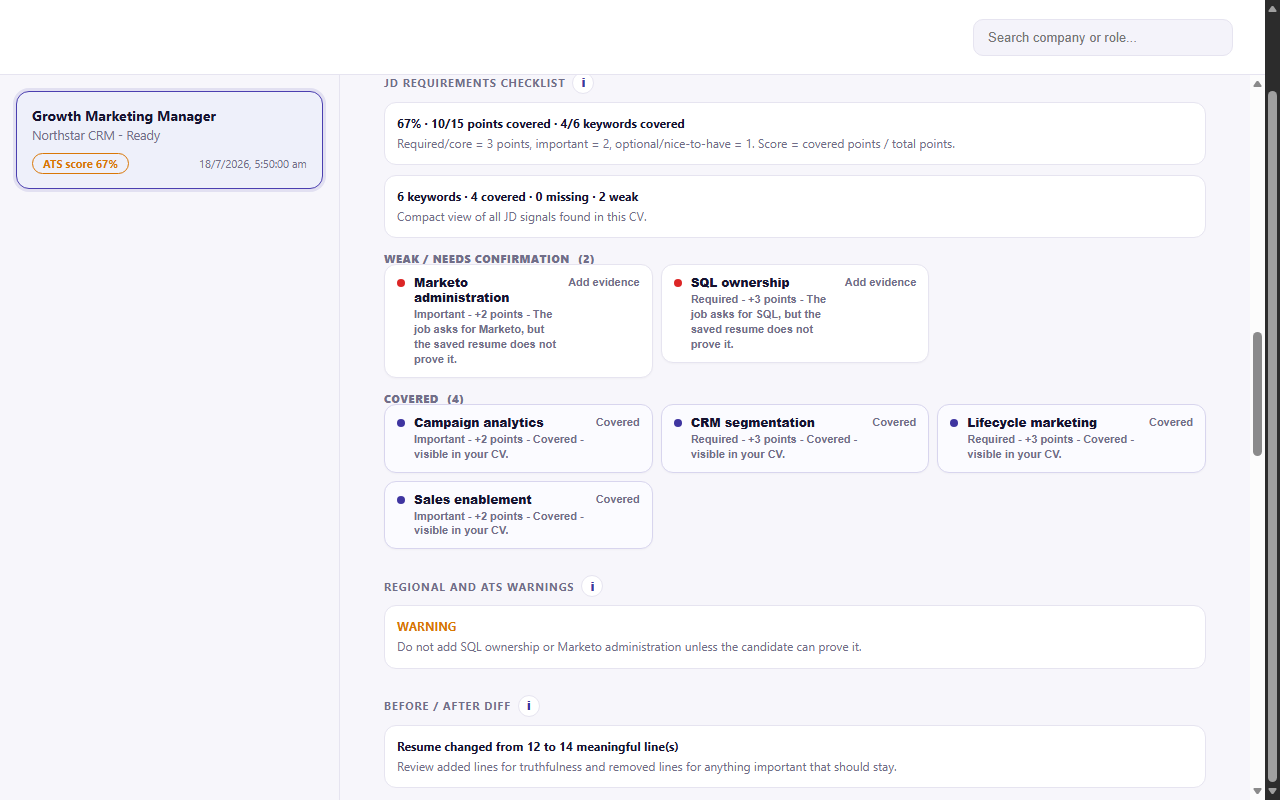
The score is confirmed keyword coverage. ScissorCV extracts the requirements and terms from the job description, weights them by how central they are to the posting, then checks which of them are genuinely present in your resume text.
A term counts as covered in two cases, and only two:
- Literal match — the job says Kubernetes and your resume says Kubernetes.
- Alias match — the job says Continuous Integration and your resume says CI, or the job says version control and your resume says Git. The abbreviation or the canonical tool name is literally on the page, so it belongs in the score.
This distinction matters more than it sounds. A pure literal-only scan of a real resume might return 67%; the alias-aware number for the same resume and job might be 78%. Neither is wrong, but only one reflects what a human recruiter would actually credit you with. ScissorCV reports the alias-aware number and shows you which aliases fired.
What the score is not
Being explicit about this is the whole design philosophy:
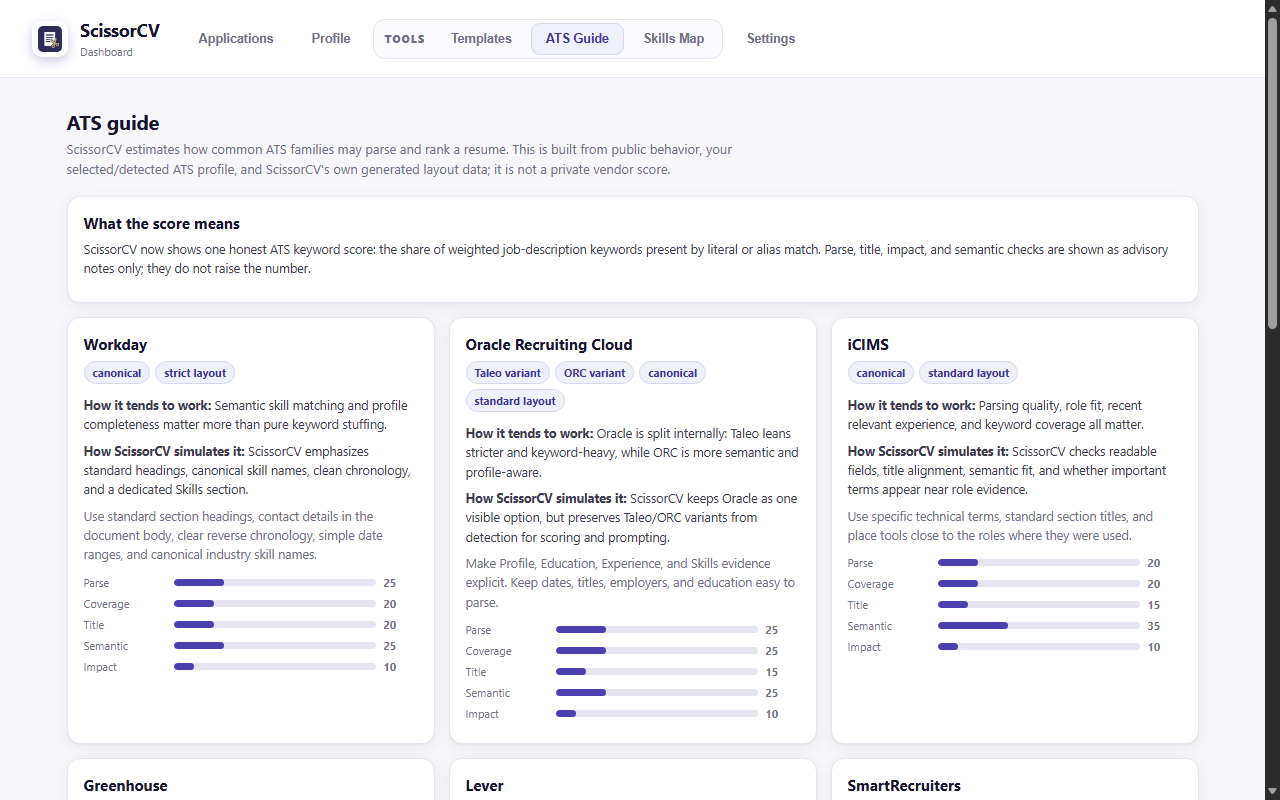
- It is not a real ATS vendor score. Workday, Greenhouse, Taleo, iCIMS and Lever do not expose scoring APIs to third parties. Any tool claiming to show you “your Workday score” is showing you its own estimate with a borrowed name.
- It is not a prediction of interviews. Keyword coverage is a filter-survival signal, not a hiring signal. Recruiter judgement, timing, referrals and competition dominate the outcome.
- It is not raised by semantic similarity. Embedding-based hints can explain a gap — “your stakeholder alignment is probably what they mean by cross-functional leadership” — but an advisory hint never becomes points. If it did, the number would drift upward without your resume changing.
- It is not raised by keyword stuffing you did not earn. Terms added by the AI that your evidence does not support are blocked before scoring, so you cannot accidentally inflate your own score.
How a score is produced, step by step
Job post intake
The posting is parsed into role, company, hard requirements, nice-to-haves, keywords, seniority and posting context. Requirements are separated from background prose so boilerplate does not dilute the weighting.
Evidence ledger
A single source of truth is assembled from your saved resume, profile, previously confirmed claims and achievement bank. Nothing outside this ledger is allowed to become a scored claim.
Weighted term extraction
Each job term gets a weight based on how central it is: terms in the requirements block and repeated terms weigh more than terms mentioned once in a benefits paragraph.
Coverage matching
Every weighted term is tested for literal and alias presence against the ledger, using a compiled skill ontology so that equivalent names resolve to the same concept.
Truth Firewall validation
Generated claims are compared against the ledger. Unsupported facts, titles, employers, dates, institutions and metrics are blocked and reclassified as gaps or confirmation items rather than scored.
Report and gaps
You get the number plus the itemised breakdown: covered, weak, missing and risky-to-claim — with the specific job terms behind each bucket.
Which signals affect the number, and which only advise
| Signal | Effect on score | Why |
|---|---|---|
| Literal keyword match | Raises score | The term is on the page and a keyword filter will find it. |
| Alias or abbreviation match | Raises score | An equivalent literal string is present; crediting it is accuracy, not inflation. |
| Requirement weighting | Shifts score | Central requirements move the number more than incidental mentions. |
| Semantic or embedding similarity | Advisory only | Useful for explaining a gap; too soft to be points. |
| Resume parse and formatting checks | Advisory only | Reported as warnings, because format risk is not keyword coverage. |
| Job title similarity | Advisory only | Shown so you can judge seniority fit yourself. |
| Impact and metric quality | Advisory only | Improves your resume, but is not what a keyword filter measures. |
| AI-generated but unsupported claims | Blocked | Removed by Truth Guard before scoring, so they can never inflate the number. |
Real score versus potential score
ScissorCV separates two questions that most tools quietly merge.
Real score
What your resume literally proves today: covered terms, counting literal matches and aliases, and nothing else. This is the number you should trust when deciding whether to apply.
Potential score
The inferable ceiling you could legitimately claim if you confirmed adjacent capabilities. If you shipped a hardware haptics feature, you can almost certainly claim hardware-software integration — but ScissorCV will not write that for you until you confirm it. The gap between Real and Potential is your highest-leverage editing list.
Where the honesty line sits. ScissorCV cannot adjudicate real-world truth — if you confirm a skill, it accepts you. What it guarantees is its own side of the line: it will never put words on the page that your evidence does not support.
How to raise your score legitimately
- Start with missing hard requirements. They carry the most weight, and a genuinely relevant one you simply forgot to mention is the cheapest win available.
- Use the employer's vocabulary for things you have done. If they say OKRs and you wrote quarterly goals, change your wording — the work is identical and the filter is literal.
- Confirm implied capabilities in the Skills Map. Turning a real but unstated capability into a confirmed claim moves it from Potential into Real.
- Add the tool names behind your outcomes. “Built dashboards” scores nothing; “Built dashboards in Power BI on MongoDB Atlas” scores three terms and is more truthful.
- Leave the remaining gaps alone. A visible 74% you can defend in an interview beats a fabricated 95% that collapses in the first screening call.